
Download MouseWrangler – Free Mouse Gesture Software for Windows & Mac
Enhance your productivity with MouseWrangler, a lightweight and intuitive mouse gesture tool designed for users who prefer mouse-based navigation over keyboard shortcuts. Whether you're managing multiple applications, launching programs, or automating repetitive tasks, MouseWrangler lets you create custom gestures using simple mouse movements. Just hold down the right mouse button and draw a shape—like a circle, square, or zigzag—to trigger actions such as launching apps, sending keystrokes, or opening files.
The software supports multiple profiles, allowing you to tailor gestures for different workflows, such as work, gaming, or creative projects. Despite its simplicity, MouseWrangler offers powerful automation without the need for installation—just download, run, and start using it immediately. It’s compatible with Windows and Mac, and works seamlessly across all programs, making it ideal for both casual users and power users seeking a more fluid computing experience.
Effortless Gesture Creation with Scratchpad Training
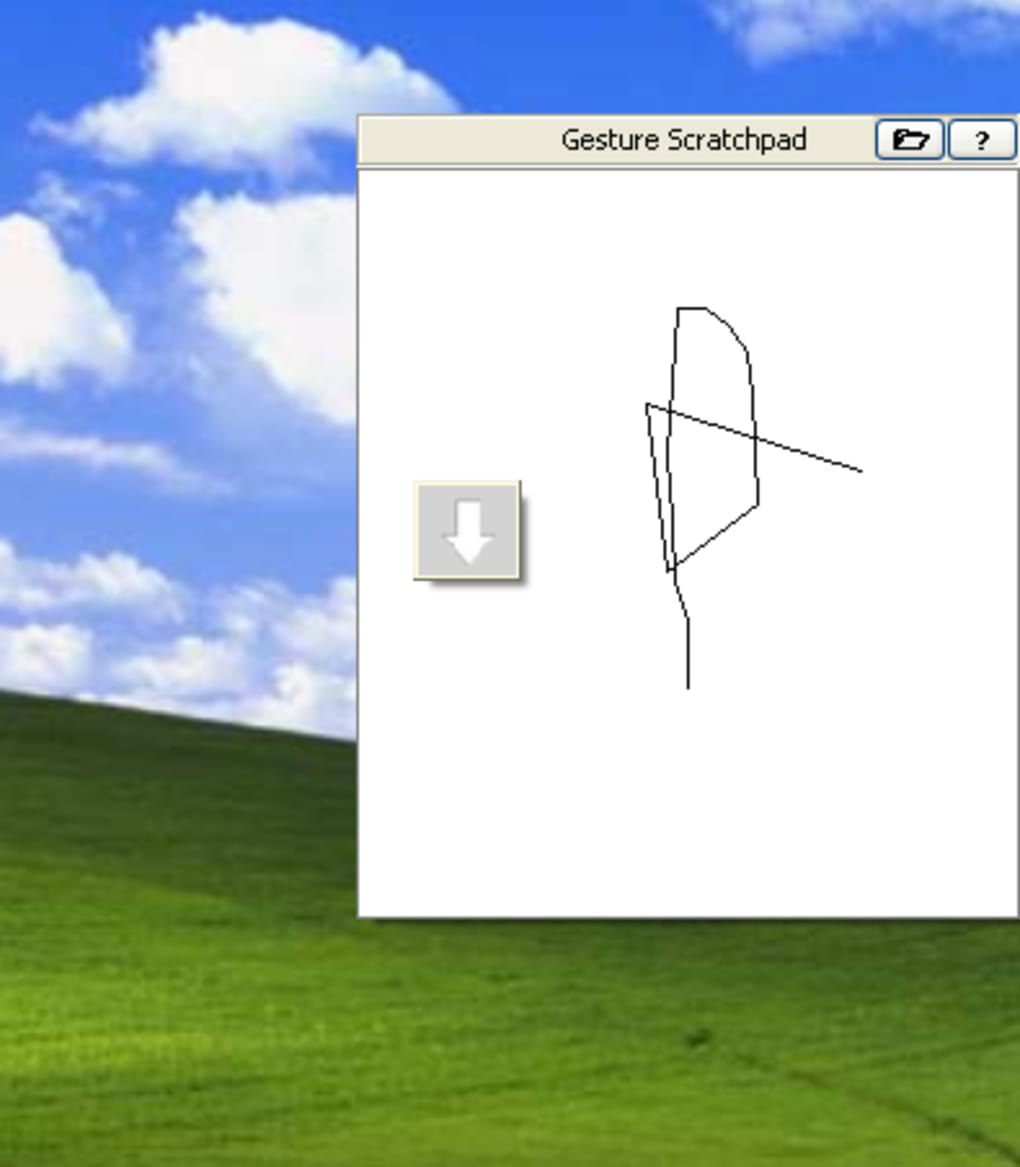
One of the standout features of MouseWrangler is its intuitive gesture creation process, especially the built-in Scratchpad tool. This dedicated area allows you to practice and refine your mouse movements before assigning them to actions. The Scratchpad is more than just a drawing canvas—it’s a learning environment where you can test how your gestures are recognized by the software.
Simply hold down the right mouse button and trace your desired shape. The app will analyze the movement and determine if it matches your saved gesture. This is especially helpful for users who are new to gesture-based automation, as it reduces the frustration of failed triggers.
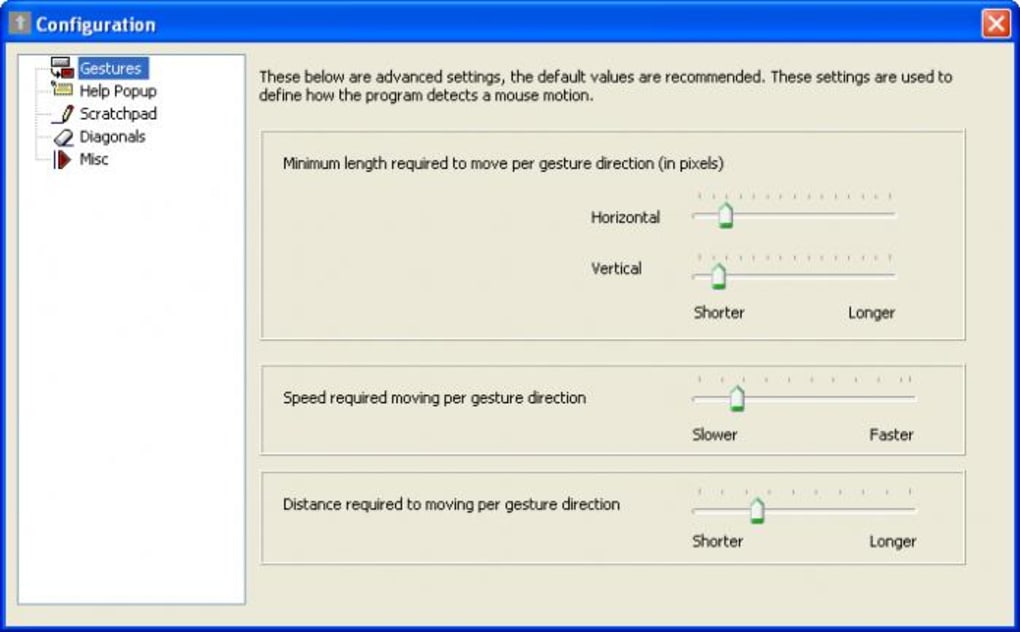
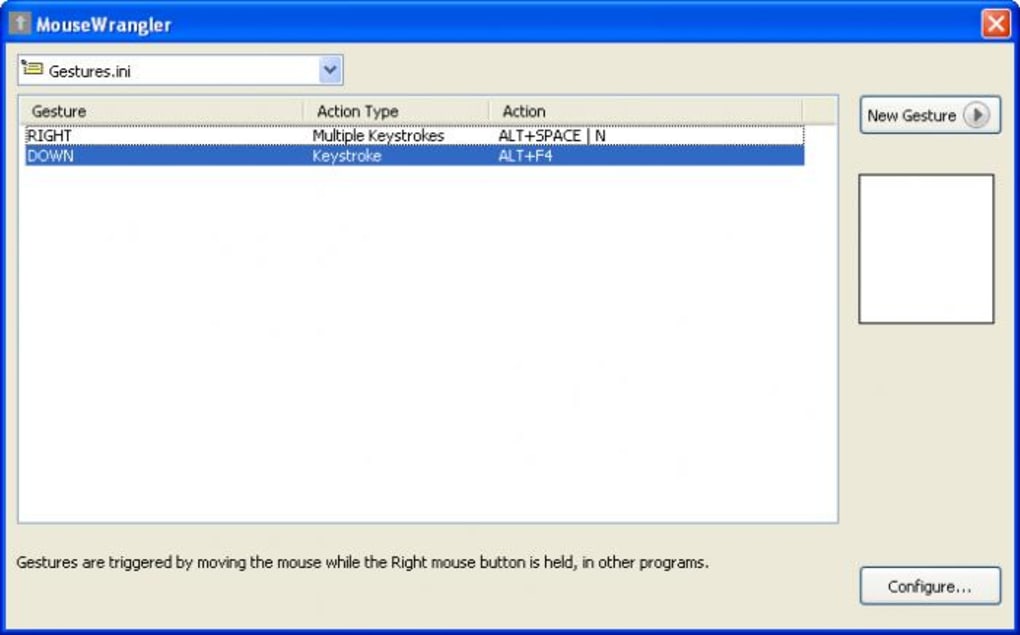
Creating a gesture is straightforward: open MouseWrangler, go to the "Gestures" tab, click "New," and choose your action type—launch program, send keystrokes, or perform a single keypress. Then, use the Scratchpad to draw your gesture. You can adjust sensitivity and accuracy settings to fine-tune recognition. For example, if you're using diagonal movements, you’ll need to manually enable diagonal support in the settings, as it’s disabled by default. This small limitation can be a hurdle for some users, but it’s easily resolved with a quick configuration change.
Another advantage of the Scratchpad is its real-time feedback. As you draw, the software highlights whether your movement is being recognized and how closely it matches the saved gesture. This helps you avoid overly complex shapes and ensures consistency. Over time, you’ll develop muscle memory for your most-used gestures, making navigation faster and more natural. Whether you're drawing a quick "V" to open your browser or a spiral to launch your email client, MouseWrangler adapts to your workflow—without requiring any coding or scripting knowledge.
Flexible Profiles and Cross-Platform Compatibility
MouseWrangler shines when it comes to managing multiple workflows through custom profiles. Each profile can contain a unique set of gestures tailored for specific tasks. For instance, you might create a "Work Profile" with gestures to open your project management tool, calendar, and Slack. Then, switch to a "Gaming Profile" that triggers quick access to your game launcher, Discord, or screen recording software. Switching between profiles is instant and doesn’t require restarting the app—just select the desired profile from the system tray menu.
Compatibility is another major strength. MouseWrangler is designed to work across all major operating systems, including Windows 10/11 and macOS, with no installation required. This makes it perfect for users who frequently switch between devices or work in shared environments. The portable nature of the app means you can run it from a USB drive, ensuring your personalized gestures follow you wherever you go. It also integrates smoothly with third-party applications—whether you're using Adobe Creative Suite, Microsoft Office, or web-based tools like Google Workspace, MouseWrangler works consistently across all platforms.
Moreover, the software is lightweight and doesn’t consume significant system resources. Unlike some automation tools that run background processes that slow down your machine, MouseWrangler remains unobtrusive. It runs quietly in the system tray, only activating when you perform a gesture.
This ensures your computer stays responsive, even during heavy multitasking. The app also supports hotkeys for quick profile switching, giving you full control without interrupting your flow. Whether you're a student, professional, or creative, MouseWrangler adapts to your needs without demanding a steep learning curve.
Pros, Cons, and Frequently Asked Questions
- Pros:
- Free to download and use with no hidden costs
- Portable—no installation required
- Intuitive Scratchpad for gesture training
- Supports multiple profiles for different workflows
- Works across all applications and operating systems
- Lightweight and low system resource usage
- Cons:
- Limited action types: only launch programs, send keystrokes, or press a single key
- Diagonal gestures require manual configuration
- No built-in scripting or advanced automation options
- Gesture recognition can be inconsistent with very fast or shaky movements
- Limited customization for gesture sensitivity and timing
Frequently Asked Questions (FAQ)
Can I use MouseWrangler on both Windows and Mac?
Yes, MouseWrangler is fully compatible with both Windows 10/11 and macOS. The portable version works across platforms without requiring installation.
How do I create a new mouse gesture?
Open MouseWrangler, go to the "Gestures" tab, click "New," select your action (launch program, send keystrokes, or press a key), then use the Scratchpad to draw your gesture while holding the right mouse button.
Is MouseWrangler free to use?
Yes, MouseWrangler is completely free to download and use. There are no premium features or subscription models.
Can I use MouseWrangler with external monitors?
Absolutely. MouseWrangler works seamlessly across multiple monitors and recognizes gestures regardless of screen position.
Why aren’t my diagonal gestures being recognized?
Diagonal movement support is disabled by default. Go to the settings and enable "Diagonal Gestures" to allow recognition of diagonal patterns.
Conclusion: A Smart Choice for Mouse-Centric Users
MouseWrangler is an excellent tool for anyone who prefers using the mouse over keyboard shortcuts. With its simple interface, gesture training Scratchpad, and support for multiple profiles, it brings a new level of efficiency to daily computing tasks. While it does have limitations—particularly in the range of available actions and the need to manually enable diagonal gestures—it remains a reliable, secure, and free solution for gesture-based automation.
If you're looking to streamline your workflow, reduce mouse clicks, and launch programs with a simple swipe, MouseWrangler is worth downloading. It’s perfect for users who value speed, simplicity, and cross-platform compatibility. Whether you're working from home, in a shared office, or on the go, this lightweight app delivers consistent performance without slowing down your system.
Download MouseWrangler today and transform the way you interact with your computer—effortlessly, securely, and with just a few mouse movements.







